Specifying Different Movie Formats
- Making Movies Suitable for YouTube Using Seamless3d and FFmpeg
- Moving the Camera
- Adding a Sound Track
- Recording Sound Using Audacity
- Specifying Different Movie Formats
- High Definition Movies for YouTube
- Rendering the Frames Using POV-Ray
Seamless3d lets you command FFmpeg to create 4 different movie formats. To specify a movie format, click on the the scene node in the scene tree window (the very first node) to open the scene node's control panel and then click one of the 4 check boxes:
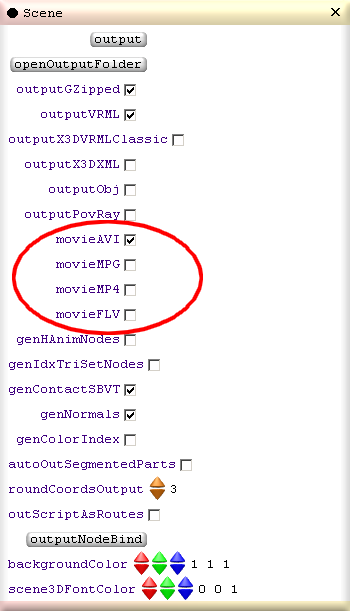
AVI format should have no trouble playing on windows media player. The strange thing is I have found FLV gets best results as the source file though YouTube says they prefer MP4. Perhaps more experimentation is needed. To play FLV files you will need a media player that can play FLV such as Moyea player.
Media Player Classic can play all 4 formats from FFmpeg however because it does not use the flash engine like the Moyea player, it may not be as reliable for playing all kinds of FLV files.
[ [3d Modelling Software] [Tutorials] [Forum] [Features] [Download] [Gallery] [FAQ] [Worlds] [Avatars] [Links] [Thyme]